Own the context
Keep the knowledge behind the work in files and folders your team owns and already shares. People and agents can build on the same foundation across projects, teams, and time.
- Google Drive
- Dropbox
- OneDrive
- iCloud
Optional analytics cookies help us understand visits. Advertising cookies help us measure campaigns. Cookie policy
Palette makes it easy for your whole team to work with Claude Code, Codex, Gemini, and more on the files and context you already share.
Join Windows waitlist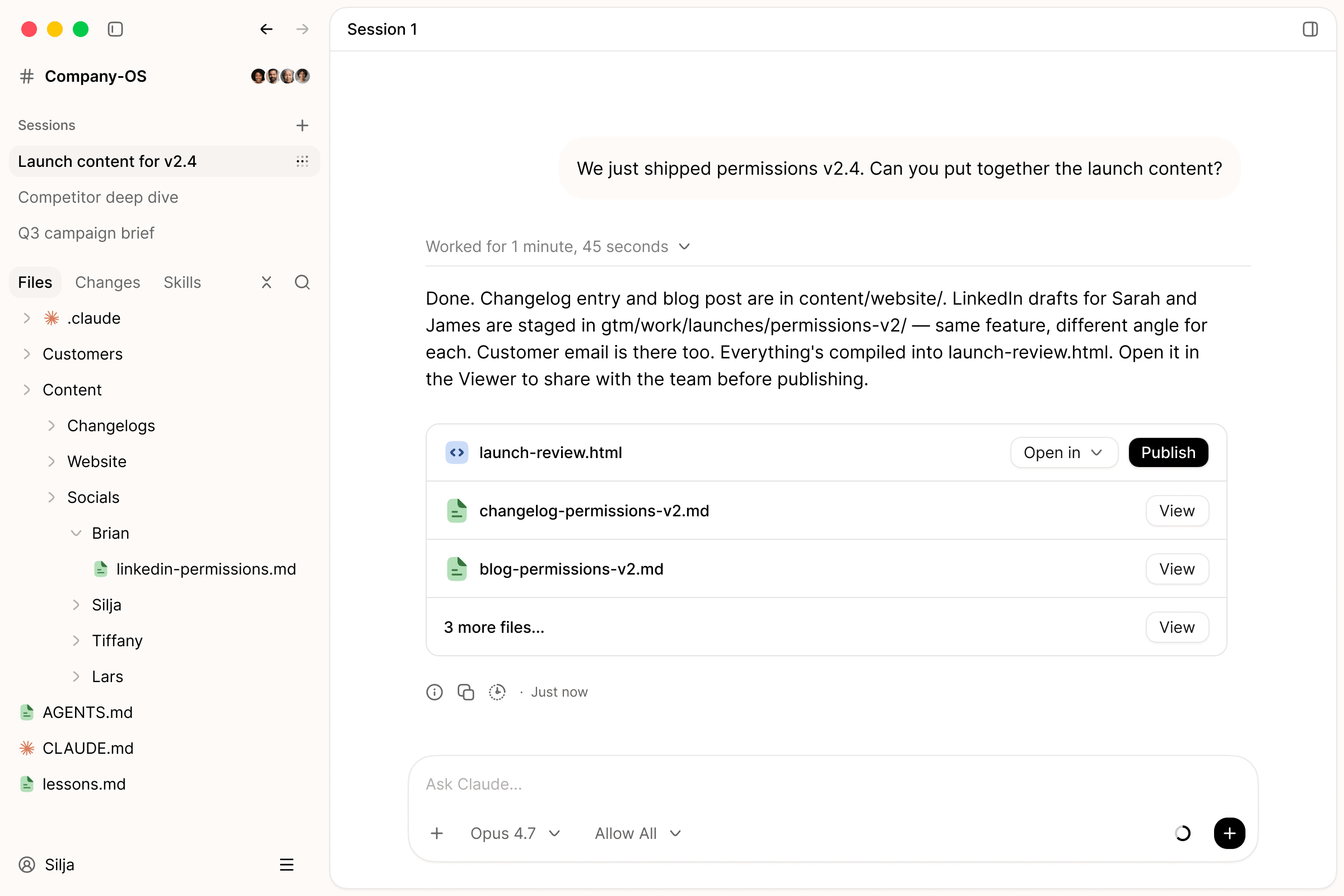






Adopt AI across every team and function, so the best agents become part of how your company works, learns, and moves forward.
 Simon HansenCPO, Airtame
Palette Desktop gives non-technical users superpowers by combining AI models with the tools and files that they and their teams are already working in.
 DenitsaProduct Manager, Lab08
Palette Desktop helped me build a Project Brain for the products I manage: connecting meetings, Jira tasks, roadmap plans, features, files, decisions, and code context into one place. Now I can see not only what I generate with AI, but where it lands, how it connects, and what needs to happen next.
 Ole Qvist-SørensenFounder, Bigger Picture
Working in folders with Palette completely changed how we run our company.
 Cal BrennanProduct & Growth Lead, KIN AI
Palette Desktop and its folder structure is the most effective way our team has used Claude Code so far.
 Daniel JakobsenLead Product Manager, Abtion
Palette Desktop clicked for us from day one. We pointed it at our shared project folder, and suddenly the whole team had one context layer to work from. Projects, notes and decisions all in one place the whole team builds on.
 Julie FauerbyCustomer Success Lead, Comundo
Palette Desktop helped me automate how we create companies/deals in HubSpot, and enabled me to build my own little tool to get an overview of potential new customers for outreach.
Keep the knowledge behind your work in files and folders your company controls. Then let each team use the agent that fits, without rebuilding the way your company works every time models change.
Keep the knowledge behind the work in files and folders your team owns and already shares. People and agents can build on the same foundation across projects, teams, and time.
Use Claude Code, Codex, Gemini, or Mistral with the same durable company context. Change agents without starting your way of working over.
Start with the context your company already has, or build a new shared system for a project, team, or company. Palette gives everyone a foundation they can keep building on together.
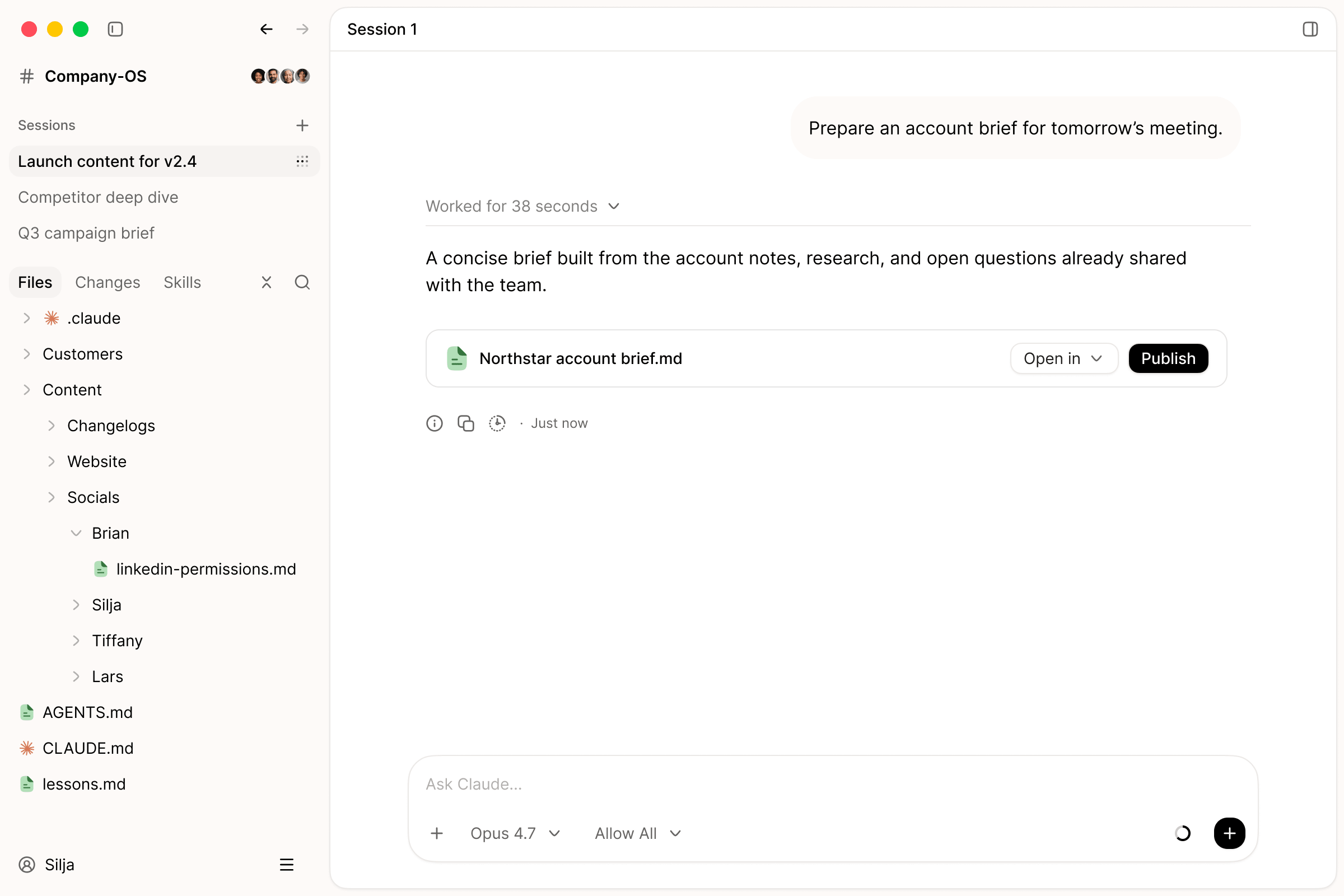
Palette brings that way of working to the rest of the company, without turning anyone’s work into a software project.
Run the company on shared context.
Keep the product story connected.
Sell with the full picture.
Turn routine into repeatable systems.
EU-hosted. EU-only processing available, with US models supported.
Zero data retention. Enabled across all models available in Palette.
Access stays in your control. Palette only accesses what you authorize.
GDPR processes in place. DPA available, with requests handled by our team.
ISO 27001. Certification is underway.
Join the waitlist
A living layer that connects company context, shared skills, and agent work across teams, tools, and AI sessions.
Palette Desktop
Start with a folder you already know and a piece of work you need to get done.
Join Windows waitlistPalette is building a new way for teams and agents to work together. Palette Desktop is the product you can use today. Palette OS is the wider company system we are building toward.
Palette is for teams that want to use powerful agents across company work, not only coding. Founders, product, GTM, operations, and other teams can work with agents on the context behind their real work.
Palette Desktop supports Palette's own agent, Claude Code, Codex, Gemini CLI, and Mistral Vibe. Provider access and subscription requirements depend on the agent you choose.
Claude Cowork is Anthropic's native workflow for working with Claude on files, including background execution. Palette Desktop is built for teams working in local or shared folders, adds review before changes save, and lets you choose Palette's own agent, Claude Code, Codex, Gemini CLI, or Mistral Vibe.
Desktop works with files and folders on your computer, including locally synced shared folders. Your company keeps control of that durable context instead of locking it inside one AI product.
A practical way forward
Book a working session with a Palette founder. We will review how your team works with AI today, find one useful place to start, and help you choose the next step.
Look at the tools, habits, and teams already moving.
Choose one team and one piece of work worth improving.
Get a focused recommendation you can put into practice.