


Cloud and self-hosted models for the Palette agent
Run the Palette agent on a model Palette hosts for you, or on your own server. With on-device, that's three ways to run Palette, and you pick per tab.
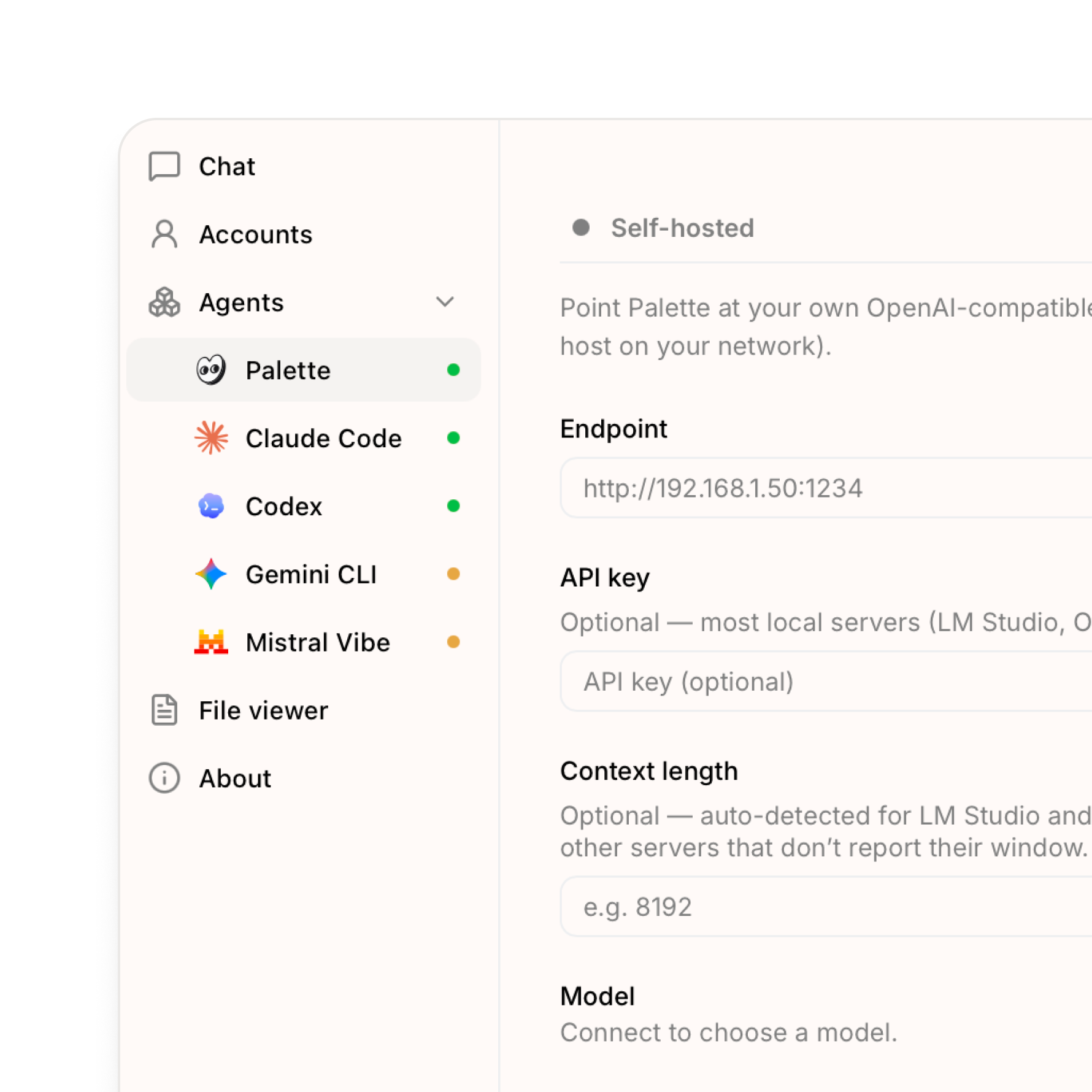
Now you can run the Palette agent on a model we host for you, or on your own server. Together with the on-device model from last time, that gives you three ways to run Palette, and you choose which one each tab uses. The difference is mostly about where the model runs and who hosts it:
- Cloud — a model Palette hosts for you (currently DeepSeek). Sign in and it's ready, nothing to download. The easiest option and a good default.
- On-device — a model that runs on your own computer (Qwen). It works offline and nothing you type leaves your machine, so it's the most private. These models are smaller and less capable, so they're best for everyday tasks.
- Self-hosted — connect to a model server you run yourself (LM Studio, Ollama, or any OpenAI-compatible host on your network). The most control.
New
- Cloud models — use a model hosted by Palette, ready as soon as you sign in. Nothing to download.
- Self-hosted models — point Palette at your own OpenAI-compatible server (LM Studio, Ollama, or any host on your network).
- A model source per tab — use the cloud model in one tab and a private one in another. A readiness dot next to each source shows what's good to go.
- Share externally — publish an HTML page you've built in Palette as a public link, and set how long it stays live (1, 7, 30, or 60 days, or a custom window).
Improved
- Onboarding — Palette shows up as a ready-to-use agent during first-run setup.
Fixed
- Chat context pill — the context indicator and history trimming now track the model source you're actually using.
- Quickstart window — adding a workspace no longer closes the setup window unexpectedly.
- Explorer header — header actions line up on the right again.
You can update from Settings. After updating, go to Settings → Agents → Palette to pick a model source.